
How to Create a Lovable Account and Start Your First Project
 Rob30 September 2026
Create a Lovable account on Lovable's site using an available sign-up method, complete any verification it requests, then start a project from your Dashboard with a clear prompt. Your Lovable account is for building; it does not automatically create sign-in for visitors to the app you make.
What you need
A browser, access to your chosen email or sign-in provider, and a one-sentence project idea. Use a login you can recover. This guide covers the initial setup and first prompt, not payment-plan selection.
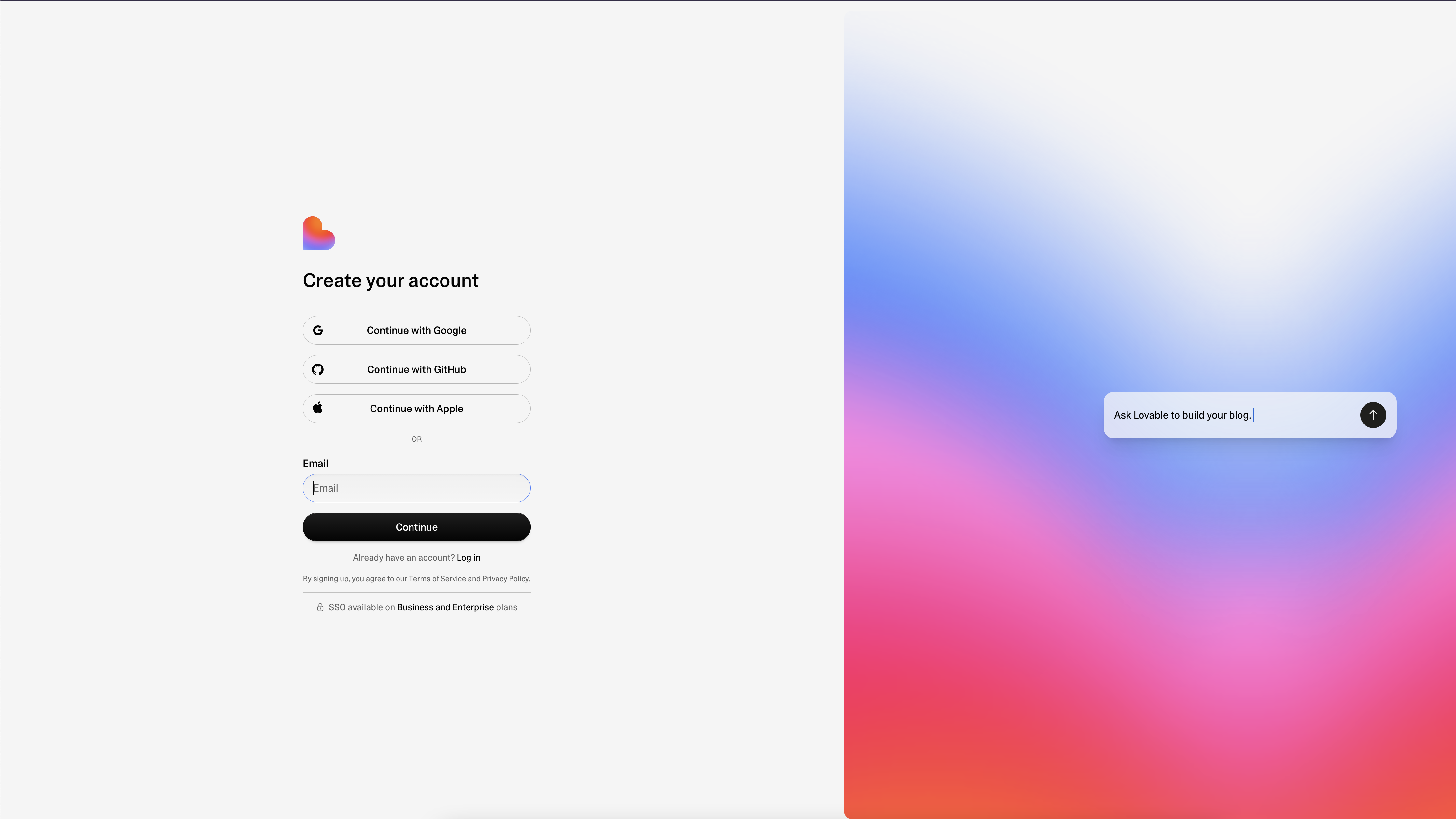
1. Open Lovable's sign-up flow
Join Lovable and choose the sign-up option on the destination site. Follow the methods currently offered. Lovable's account documentation lists email/password and social sign-in options; availability and organisational sign-in depend on the setup.
Do not enter credentials on a site whose address you do not trust. If using a provider, review its confirmation screen. Keep access to the email address associated with your account.
2. Finish verification and account setup
Complete verification if prompted. If a verification email does not arrive, check spam, confirm the address and use the offered resend or recovery options. Do not repeatedly create new accounts to get around a login problem.
3. Understand the workspace
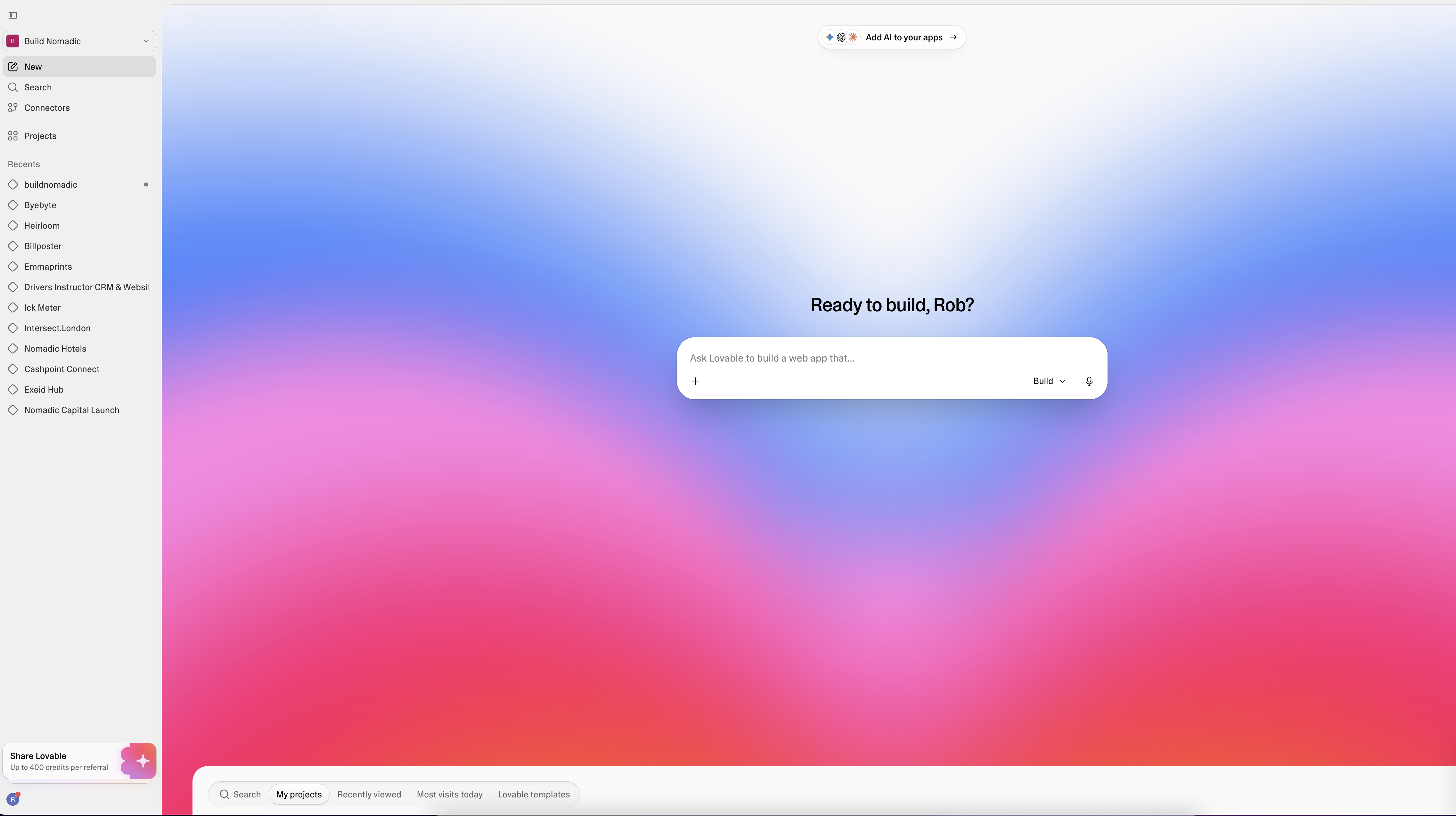
Lovable's documentation says signing up creates a personal workspace. A workspace holds projects and shared workspace resources. If you later join a team workspace, check which workspace you are using before creating or sharing a project.
Your account identifies you. A workspace groups work. A project is one application with its chat, preview, code and history. Naming them clearly makes future work easier to find.
4. Start one small project
From the Dashboard, start a project using a focused description. For example:
Build a simple personal reading list. I want to add a book title, mark a book as read and filter unread books. Start with a prototype so I can check the workflow. Make empty states clear. Do not add payments, social features or an account system in this first step.
This is a practice prompt; adapt the task to something useful to you. Read Lovable's response and any questions before requesting more features.
5. Check that you can return to your work
Open the project preview and try its core action. Then return to the Dashboard and reopen the project. Confirm you are in the same account and workspace. Before publishing, replace any sample content and check what the prototype actually saves.
Common account problems
The project seems missing: check the account, workspace and sign-in method you used. A different login may lead to a different account.
Verification has not arrived: check the entered address and mail folders, then use the site's recovery options. Avoid sharing verification links publicly.
You expected visitor accounts automatically: building-platform sign-in and your app's user authentication are separate. Specify app authentication when the product needs it.
You are unsure whether to upgrade: check current plans and usage first. This guide does not promise a fixed number of free builds or credits.
Frequently asked questions
Do I need a business email?
Choose an address you control and can recover. Team and organisational requirements may differ; review the current account documentation.
Can I work in more than one workspace?
The workspace model supports organising and collaborating on projects. Check workspace membership and permissions in the product rather than assuming every project belongs to your personal workspace.
Does this create an account on BuildNomadic?
No. Lovable and BuildNomadic are separate sites with separate accounts.
Official sources
Create a Lovable account, Dashboard overview, projects, plans and credits and usage.
Keep learning
Understanding the Lovable Dashboard and Project Editor
Find your projects and understand the chat, preview and project controls without confusing a draft with a published app.
How to Use Lovable: A Step-by-Step Tutorial for Beginners
Go from a clear first prompt to a tested published project, with a repeatable beginner workflow and prompts you can adapt.
How to Build Your First Website With Lovable
Build a focused business website, replace sample content with real facts, test its links and publish a version you can share.
Get the next write-up
New builds and articles, straight to your inbox.